Scan, edit, and mark up your PDFs.
Capture documents with the camera, change the actual text inside them, annotate, and keep everything organized in a built-in file manager — all entirely on your device. No uploads, no cloud conversion.
True on-device text editing
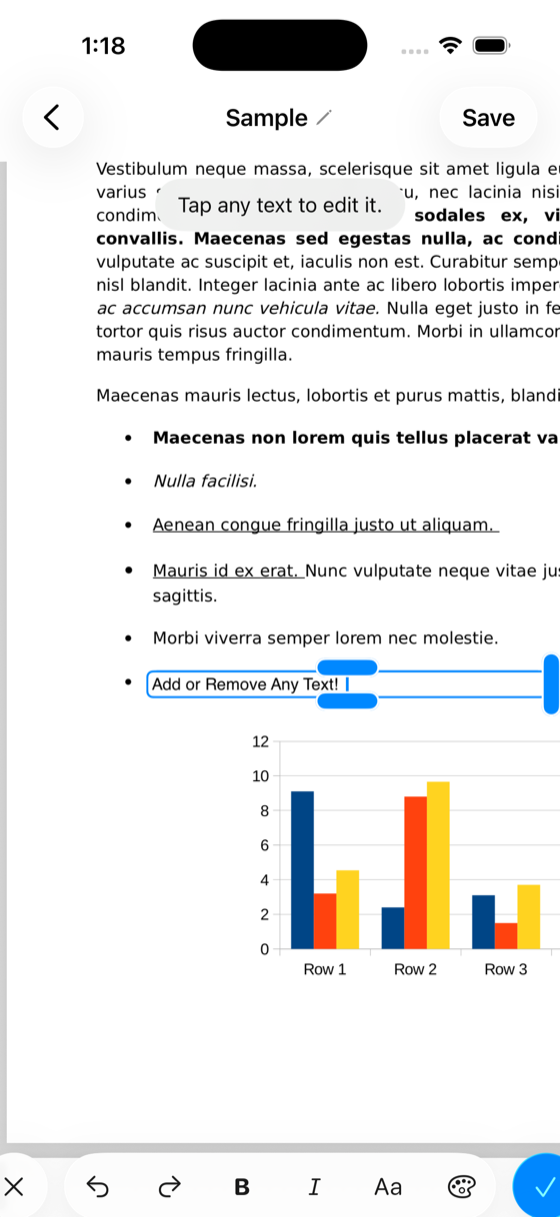
Tap the text. Change the text. On your device.
PolyPDF edits the real content stream underneath the page, powered by our custom PolyPDFKit engine, so your changes become part of the document itself. It all happens on your device, so your files never leave your iPad.
- Edit the contentTap any line and change the actual text — the way paid desktop editors do.
- Formatting is preservedBold, italic, font family, size, and color all survive the edit.
- Inline, tap-to-editA caret appears exactly where you tapped — and a rich formatting toolbar rides above the keyboard.
- Resize & reshape the edit areaDrag handles to squeeze or expand the text column, or extend the selection across more lines.
- Undo / redo every changeExperiment freely — step back and forward through every edit.
Service Agreement
This agreement is entered into on March 12, 2026 between the parties named below.
The term of this agreement shall be twelve (12) months, renewable upon written consent.
Payment is due within thirty days of each invoice date.
Edits write straight into the PDF — bold, italics, color and all.
Everything else you'd expect
A complete PDF toolkit in your pocket.
Markup, Apple Pencil, scanning, page management and a built-in library — all built on the same on-device engine.
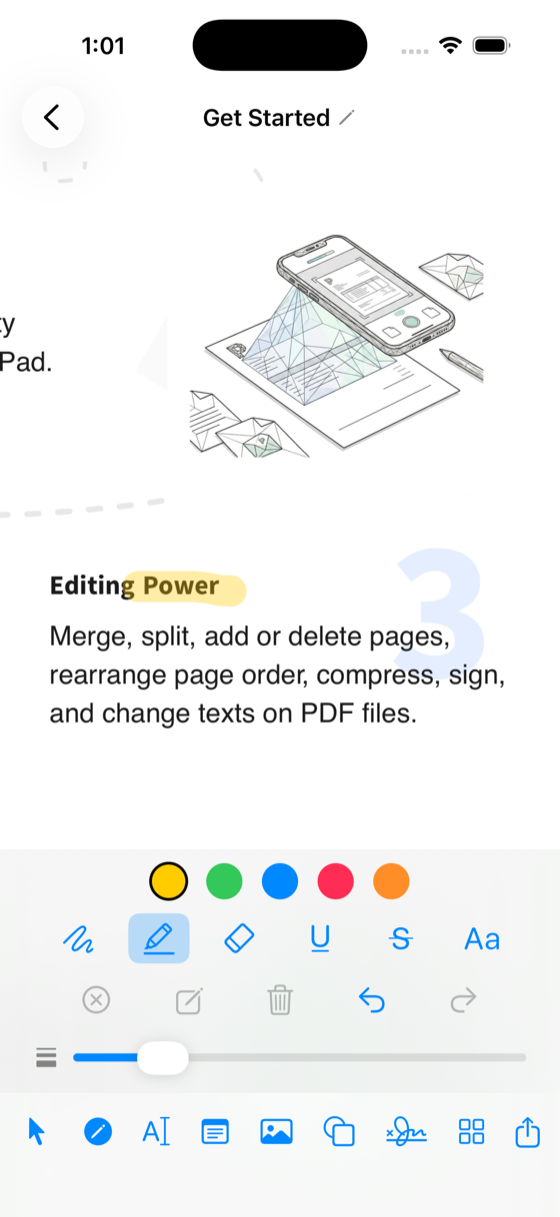
Annotation & markup
Mark up any document with natural, responsive tools.
- Pen, highlighter & eraser
- Highlight, underline & strikethrough text
- Free-text notes & image stamps
- Full undo / redo
Apple Pencil
Writing and drawing that feels like ink on paper.
- Palm rejection — rest your hand and draw
- A finger still scrolls & zooms while you write
- Smooth, high-fidelity strokes at the Pencil's full sampling rate
Document tools
Capture, organize and send — without leaving the app.
- Scan documents straight into PDFs with the camera
- Reorder & organize pages
- Share & export to any app
Library & sync
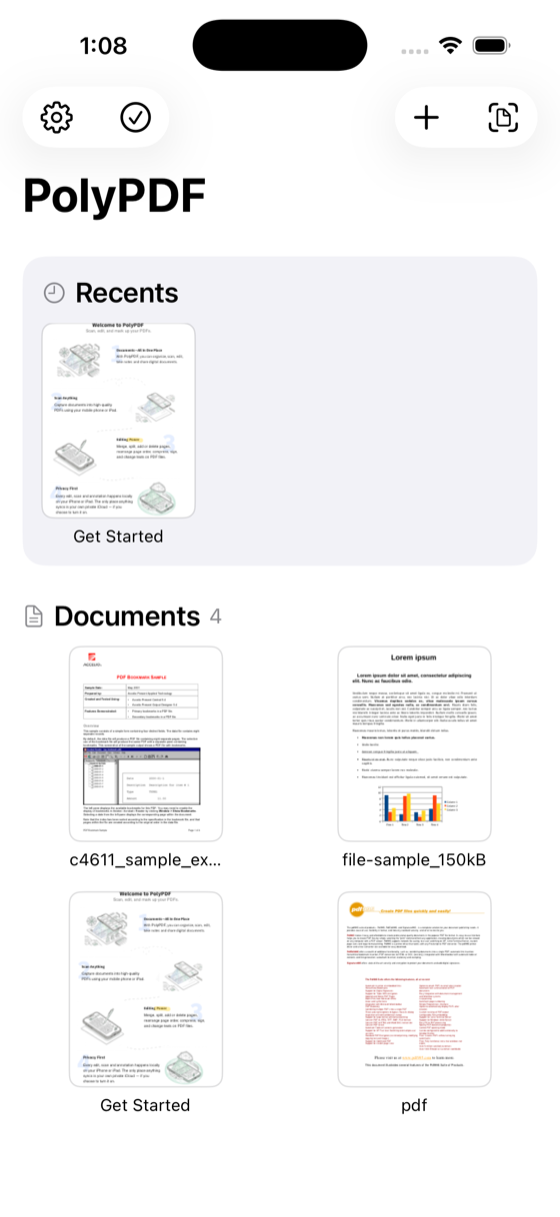
Your documents, organized and safe.
- Built-in document library to manage your files
- iCloud backup, available across devices
- Light / Dark / System appearance
Built for iPhone & iPad
A native Swift app, designed for touch and Pencil.
- Fast, fluid PDFKit viewing
- Optimized for large documents
- Designed for iPadOS multitasking
Private by design
Privacy isn't a setting — it's the architecture.
- Everything runs on device
- No servers, no uploads, no tracking
- Your documents never leave your iPhone or iPad
Powered by our own PDF engine — built in-house.
PolyPDF runs on PolyPDFKit — a custom PDF editing engine we wrote from the ground up in Swift. Not a licensed black box, not a cloud API. It does the hard part: real content-stream editing of existing text, images and vector paths, entirely on the device.
- Real content-stream editing of existing text, images and vector paths.
- Entirely on device & offline — no servers, no uploads, complete privacy.
- Multi-platform — iOS, iPadOS and macOS, written in Swift.
- Not a licensed black box or cloud API — we own it, so we can keep pushing what's possible.
PolyPDFKit · for developers
License the engine behind PolyPDF.
The same on-device PDF editing engine that powers PolyPDF will soon be available to license. Embed real content editing into your own iOS, iPadOS and macOS apps — or partner with us on a fully custom build. No servers, no black box.
SDK licensing — coming soonOn-device & private
Runs entirely on your users' devices. No servers to operate, no documents leaving the device — privacy by default.
Real content editing
Edit existing text, images and vector paths at the content-stream level — the real document, not overlays.
Native Swift framework
A drop-in framework for iOS, iPadOS and macOS. No web views, no bridging — just Swift APIs.
No recurring fees
No in-app purchases, nothing to host, and no per-document API fees. It works fully offline, so there's no infrastructure to scale.
Format fidelity
Edits preserve the original fonts, weight, size and color, so documents keep looking exactly as authored.
Ship-proven
The exact engine shipping in PolyPDF on the App Store — not a prototype or a roadmap promise.
Building something custom?
Whether it's a custom deployment, a white-label PDF app, or real text editing embedded in your own product — we'll help you ship it, working directly with the people who built PolyPDFKit.
Your documents never leave your device.
There's no cloud round-trip, no account to create, and nothing to upload. Every edit, scan and annotation happens locally on your iPhone or iPad. The only place anything syncs is your own private iCloud — if you choose to turn it on.
Independent software
An indie app.
PolyPDF is an independent product — no investors, no data brokers, no growth-hacking playbook.
Get in touch
Questions? Say hello.
Press, support, partnerships, or just curious about PolyPDFKit — drop us a message and we'll get back to you.
Real PDF editing. Right in your hand.
Be among the first to edit the real text in your PDFs — entirely on your device. No uploads, no cloud conversion.